
How to Search Cases by Name
Pick the court level first. District civil, family, and felony cases sit with the District Clerk, while the County Clerk keeps county misdemeanors, probate, and county civil records. Coleman County offers no single local form that safely replaces either office. JP, Coleman city, and Santa Anna city cases each run through separate contacts of their own.
- Write down the likely court and the record type.
- Enter the last name, then first name, with a useful filing range.
- Filter by Coleman County, court, and case category where offered.
- Compare the court, case number, filing date, and status on each match.
- Ask the clerk about a missing, new, restricted, or misrouted case.
Search fields vary across re:SearchTX, iDocket, and the appellate materials. Not every system offers every field, so expect some gaps when you switch tools.
| Field | Type | Required | Coleman note |
|---|---|---|---|
| Court or county | Select | Often | Choose the actual local court |
| Case number | Text | No, but best | Preserve punctuation |
| Party name | Text | Optional | Restricted cases may not return |
| Filing range | Date | Optional | Vendor date meanings vary |
| Category | Select | Portal dependent | Civil, family, criminal, probate, or traffic |
Coleman County Portal Versus re:SearchTX
Coleman County's past online route ran through vendor services such as iDocket and TexasOnlineRecords. Those connections prove only that online tools once reached the county. They prove nothing about complete or current docket coverage. The TexasOnlineRecords landing page leans toward real-property options. Treat it as a real-estate records page rather than a live Coleman County court docket.
re:SearchTX is the Texas Judiciary's statewide layer. It covers cases and hearings in participating courts. Access can hit a barrier. Integration varies by court. Its official guide covers case, hearing, party, attorney, and filing detail. It also lists any documents on offer. Whether a specific Coleman County record is present and current is a question. Ask the District Clerk or County Clerk.
| Local or vendor route | re:SearchTX |
|---|---|
| May reflect old Coleman links or local vendor data | Statewide participating-court layer |
| Visible dates can be stale | Integration and access can vary |
| Payment and records choices may be mixed | Case, hearing, and document workflow |
| Confirm every result with the local custodian | Confirm document and court coverage |
How to Search by Case Number
A case or cause number is the best key for a lookup. It points to one clerk file. Coleman County publishes no standard local format in its official sources, so never invent one. Type the exact clerk value, shown neutrally as clerk-provided case number. Keep every dash, letter, and leading zero intact.
If the number fails, check that it belongs to the court you chose. A district number may not work in a County Clerk or municipal system. Ask whether you hold a cause number, citation number, appellate number, or vendor identifier. Then add the court name and a filing range to your request.
Coleman County iDocket Stale-Date Warning
Read the iDocket county filing table with care. Its date column marks when a new case was filed. It does not track every later document. Coleman entries reaching back to 2020 can sit at the top of the list. A stale date there proves nothing about newer motions, orders, or hearings. The table may simply reflect the vendor's coverage history rather than the clerk's live database. The iDocket filing-status page states this limitation itself.
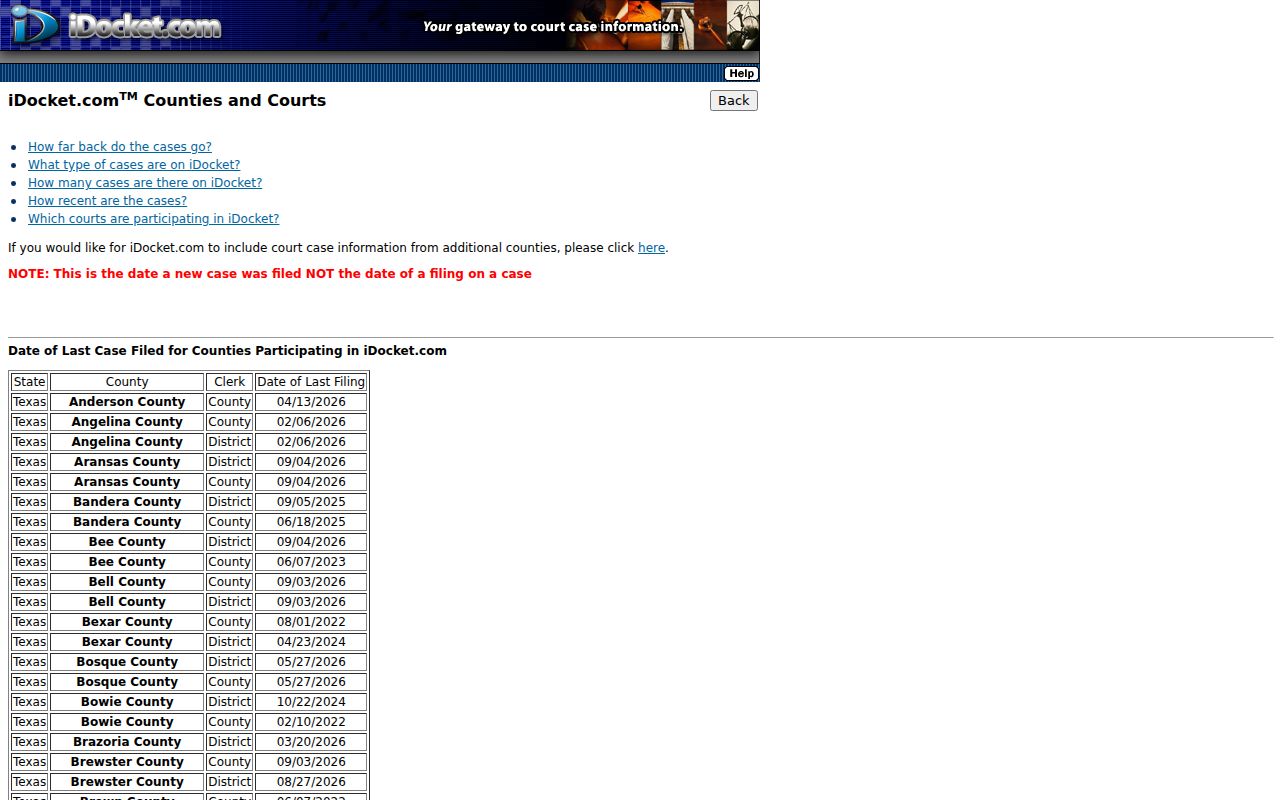
Treat that page as a warning, not a conclusion about current cases. A no-result or old-result response should push the lookup back to the correct clerk.
No online result does not equal no case. The file may be new, restricted, outside the portal, or indexed under another court.
What a Case Search Shows
A Coleman County result can name the file. It can also list its events in order. How much detail you see depends on the court and the system behind it. A row saying an order was filed is not the order itself. In the same way, a disposition label does not always carry the operative judgment.
| Court and county | The custodian and jurisdiction owning the case. |
|---|---|
| Case number | The strongest key for a clerk request. |
| Case style | The caption, subject to privacy limits. |
| Category | Civil, criminal, family, probate, traffic, or another type. |
| Filed date | The new-case date or filing date as defined by the system. |
| Event or setting | The hearing date, time, and type if available. |
| Status | A procedural state that should be verified in the record. |
| Restriction | An indication that some public detail is limited. |
For the document behind an entry, use the Coleman County court record search and name the filing.
Coleman County Guest and Payment Gates
Public search does not always mean anonymous access to every document. iDocket can present login features. re:SearchTX materials describe registration, saved folders, alerts, and a document cart. OCA guidance lists public document access at $0.10 per page, capped at $6, when a document is available. That cap belongs to the statewide system. It does not bind the District Clerk counter. The re:SearchTX entry page states these access terms itself.
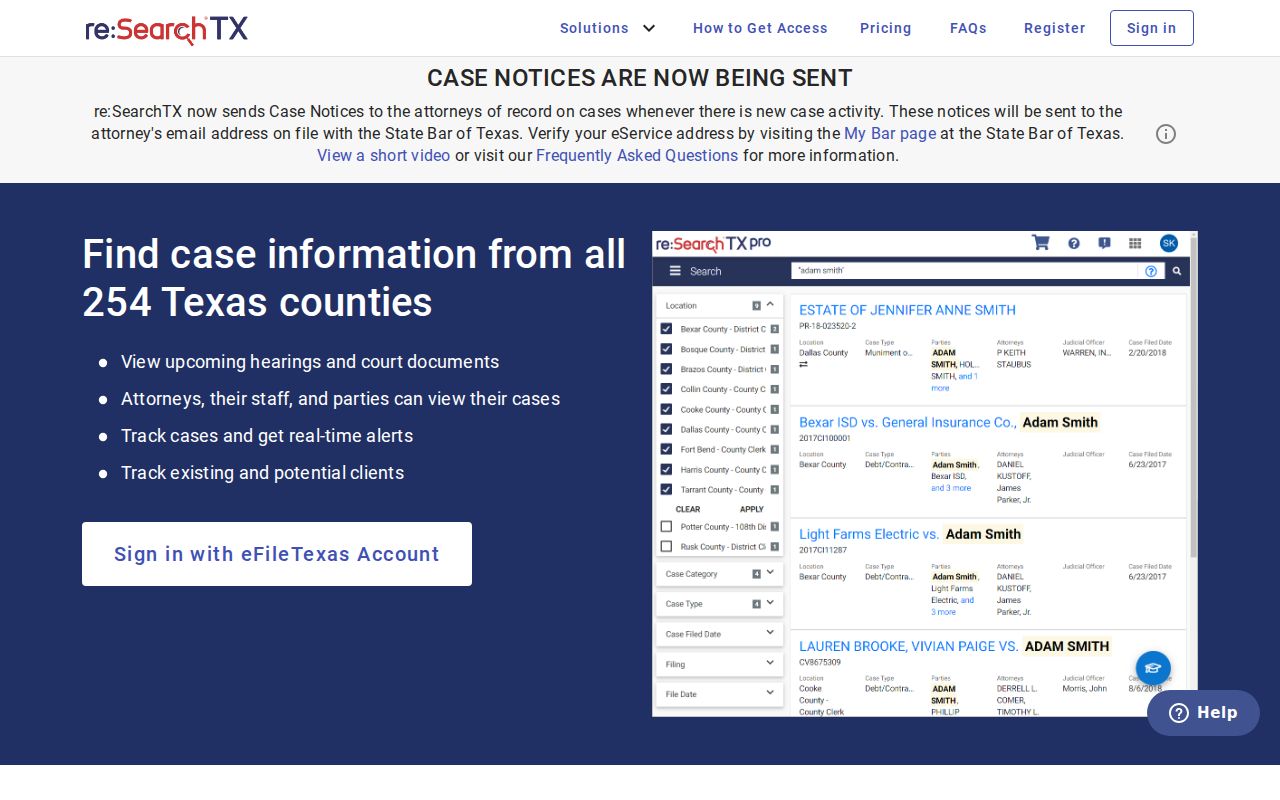
An access barrier of that kind is why a clerk fallback matters. A login or cart screen never proves the document itself is public or integrated.
County vs Statewide Case Search
When you know the court, go to the local custodian. The District Clerk handles 42nd District Court files in Suite 201 at 325-625-2568. The County Clerk covers County Court, probate, and county-level records in Suite 105 at 325-625-2889. The countywide JP sits in Suite 103, at 325-625-4223 and justice@co.coleman.tx.us.
Treat re:SearchTX as a statewide layer, not a full criminal-history archive. Coleman city citations belong to Municipal Court. Santa Anna Municipal Court answers at 325-348-3176 and sacourt@web-access.net. No current OCA municipal listing exists for Novice. The citation itself must name the issuing court. Federal cases live in PACER. They are not held with any Coleman County clerk.
Searching Coleman County Appeals
An appeal carries its own appellate case number and docket. Coleman County falls in the Eleventh Court of Appeals district at Eastland. The Eleventh Court case search takes an appellate number, trial-court county, trial-court number, style, or attorney details when available.
The appellate search refreshes nightly. A same-day notice may not appear at once. Select Coleman as the trial-court county. Then compare the appellate result against the trial record. The Texas appellate search entry is the official route for that check.
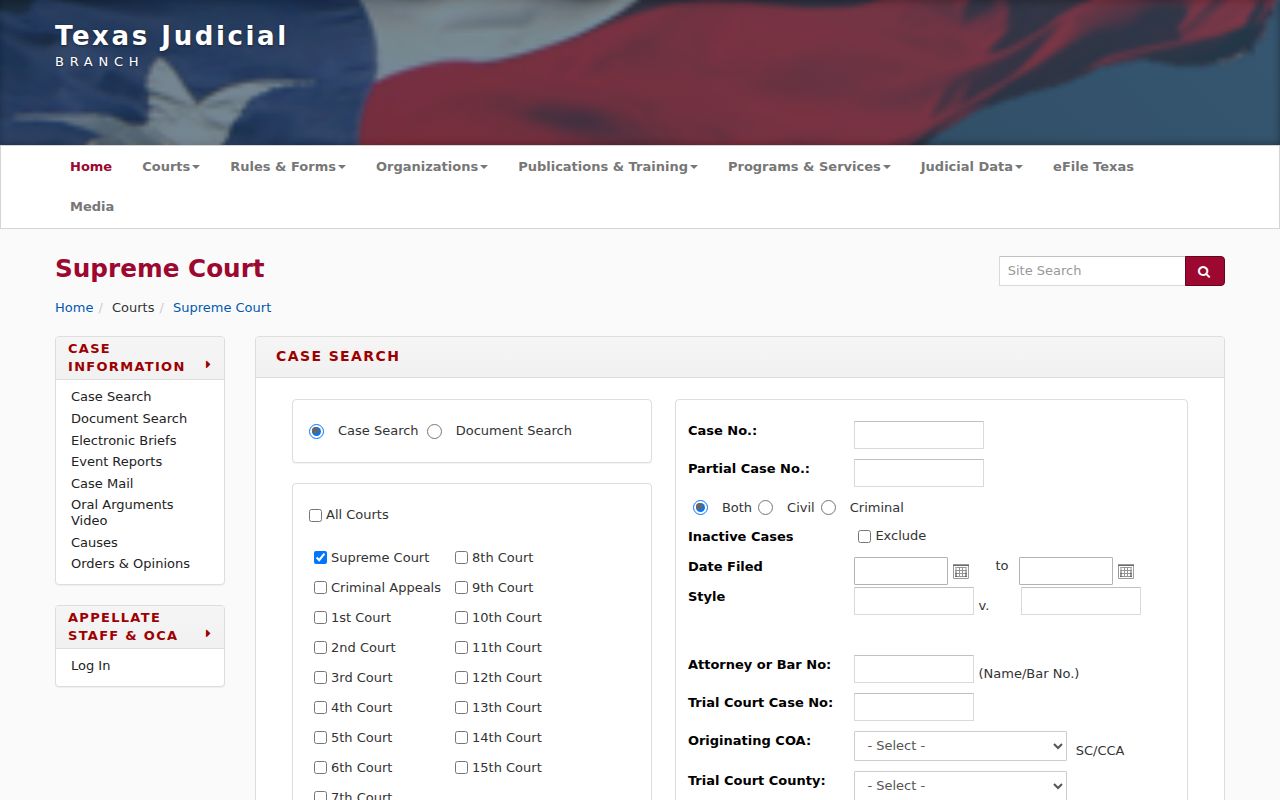
The appellate docket supplements rather than replaces the clerk-held Coleman County case history.
Restricted Cases and Access Rules
Several things can wall off part of a Coleman County court docket. A sealing order, juvenile confidentiality, expunction, nondisclosure, or protected identifiers all limit what the public sees. So does a gap in the portal itself. One entry may sit in plain view while its contents stay hidden. Treat a missing row as an access question first. It is not proof of a clean or complete history.
The law behind these limits is specific. Texas Family Code Chapter 58 governs juvenile confidentiality. Code of Criminal Procedure Chapter 55A covers expunction. Nondisclosure rules sit in Texas Government Code Chapter 411. Ask the clerk whether the entry is legally restricted or simply absent from the system. Do not ask for protected content itself.
Verify a Coleman County Lookup
Write down what the lookup gave you. That means the court, the case number, the source, the search date, and the portal's exact message. Then call or write the clerk. Ask whether the result is current. Ask which record category is available. Then ask how to get the docket span or the filed document. Skip copying private identifiers just to fill your notes.
Court dates deserve one extra step. A search result can lag behind a reset, so confirm the setting with the court itself. The Coleman County court dates resource maps district, county, JP, and municipal calendar channels separately. When you need a judgment or order, request the document. The short docket text alone will not carry its terms.
Coleman County No-Result Checklist
A blank result is not the end of the search. Change the question instead of repeating the same query. Does the court you selected match the paper in hand? Is that string a case number, cause number, citation number, or appellate number? Check the spelling and the date range too. Then ask whether the portal indexes that court at all. Does the date column reflect only new cases? Later filings may not show.
Routing explains many dead ends. A county misdemeanor lives with the County Clerk. A felony matter sits with the District Clerk. Class C and traffic cases may be in the JP. City citations can belong to Coleman or Santa Anna Municipal Court. Novice does not map to a clear municipal court in the OCA directory. A city name alone will not identify the court. This routing check beats trying random portals.
Save the exact message the system shows. The message may read "no result," "restricted," or "not available." Pass that text along to the clerk. Include the search date, court, and case number. Ask if the record is too new. Ask if it is restricted, sealed, or held elsewhere. Or ask if it is simply not tied into the portal. The clerk can explain the access route. The clerk cannot release material that law or court order bars.
When a result does appear, verify its status and event date. A docket line may show that a motion or order exists without displaying the full item. If the terms matter, request the underlying record. That final check turns a Coleman County case lookup into a reliable path to the official file. It is more than a guess from one screen.
Coleman County Case Lookup Routing
Routing starts with the court named on the record. District, County Court, JP, and municipal files each have their own custodian. The Coleman County clerk who holds one case type will not hold the rest. So knowing a name is not enough. The correct office is a required search field.
Coleman County Case Search Dates
Read every displayed date by its label. A new-case filing date, a later document date, a hearing date, and a disposition date each answer a different question about a Coleman County court record. Treating them as one event invites error.